
When creating a new project, tick Multi-Die project.
Multi-Die
!
This option may be unavailable when choosing certain worktype configurations!
You also need to select a compatible scanner in your Settings.
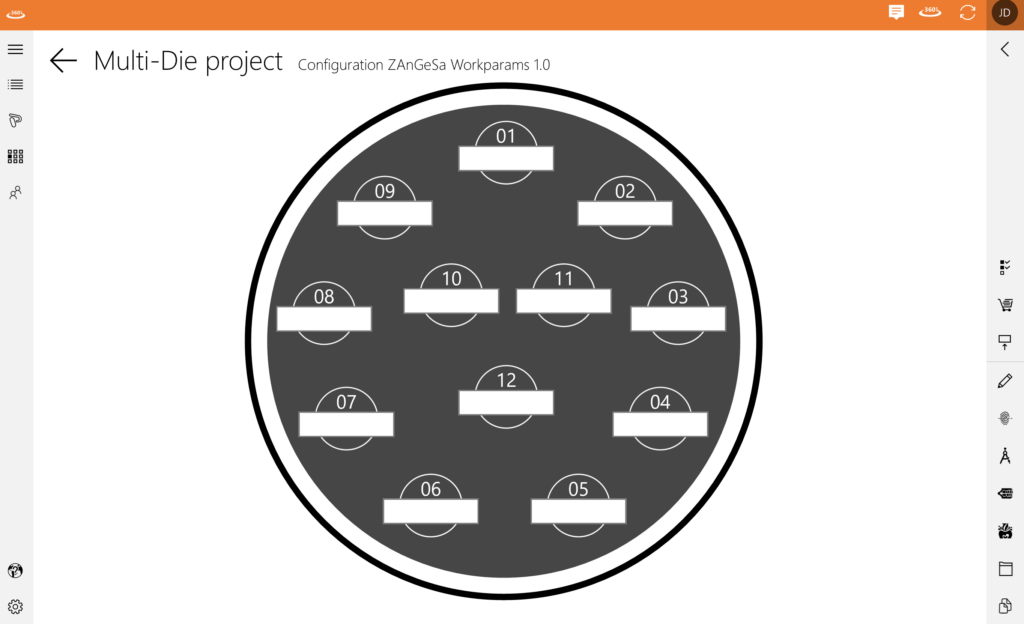
Every scanner has its own template for the multi-die mode, determining the amount of slots.
For each slot available a name can be supplied to identify the corresponding client.
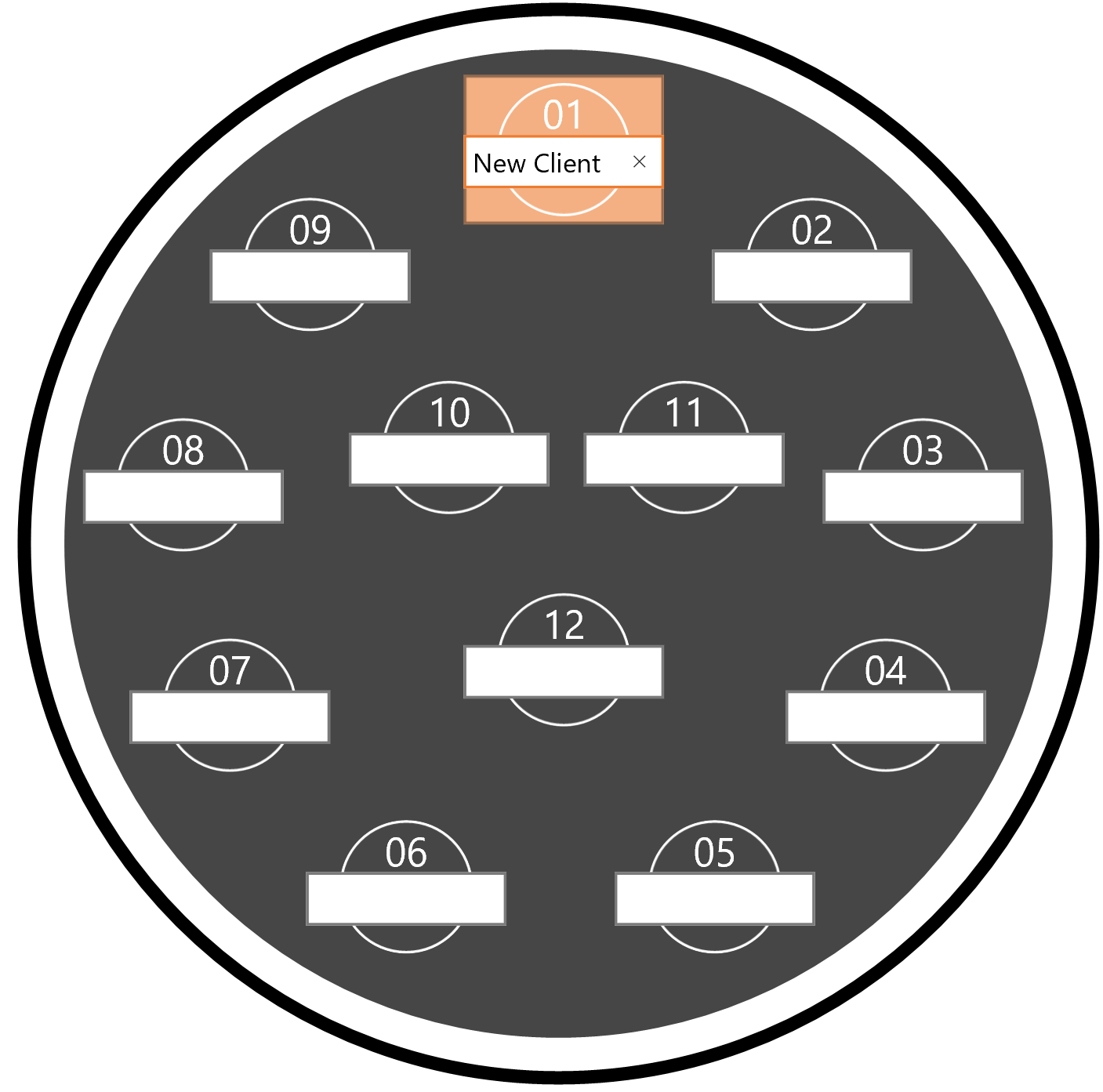
Every worktype is presented with a different colour.
Click on the white space to type the name of the project. To confirm, click on the number.
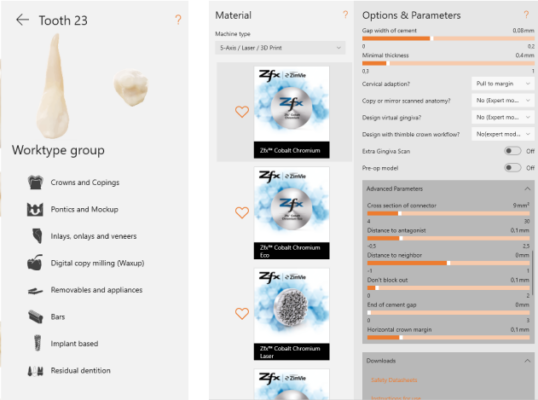
A menu will open which shows the worktypes you can apply.
See Projects on how to work with cases in Connect.
Navigation
- Software
- Connect Online
- ZAnGeSa Connect
- First Steps
- Zu Beginn
- Aktualisieren der Appikation
- Nachrichten
- Working with projects
- Projekt Management
- Neues Projekt erstellen
- Projekte importieren
- Ein Multi-Die Projekt erstellen
- Projekte löschen
- Projekt archivieren
- Multi-Die
- Arbeiten mit Projekten
- Projekt Bearbeiten
- Öffnen im Explorer
- Projekt kopieren
- Scan starten
- Projekt designen
- Konstruktionsdatenübersicht
- CAM starten
- Projekte bestellen
- Projekte hochladen
- Projekt Status
- Mit Multi-Die-Projekten arbeiten
- Modell-Creator
- Apps
- Private Kontakte
- Einstellungen
- Nachrichten- und Downloadzentrale
- Account Einstellungen
- Configuring your Company
- Unternehmen
- Managing orders
- Connect Share
- Connect Factory – Production Center
- Hardware-Anforderungen
- Release notes
