Test_Image
ZangesaLearn
  • Home
  • FAQ
  • Legal

You also have the possibility to import projects. To do that, click on the icon on the top right next to the plus.
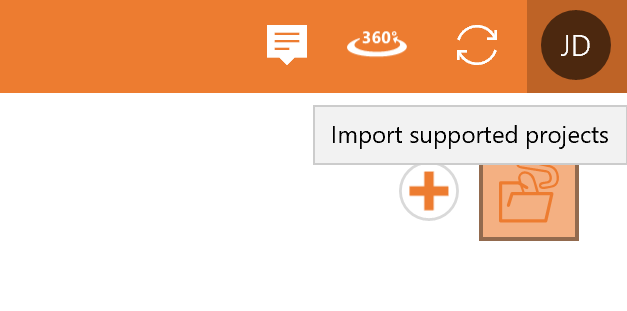
You will now be asked to select a project from your local storage. Choose the data you would like to import and confirm.

Navigation

  • ZAnGeSa Connect
    • Connect Online
    • Connect Operate
      • First Steps
      • In the beginning
      • Update of the application
      • News
      • Working with projects
      • Projects management
        • Creating a new project
        • Importing a project from exocad
        • Deleting a project
        • Archiving a project
        • Multi-Die
        • Opening and editing a project
        • Project details
        • Open in explorer
        • Copy Project
        • Starting scan
        • Design
        • Construction Data Overview
        • Starting CAM
        • Ordering products
        • Upload and share
        • Project status
        • Using Multi-Die
        • Model Creator
      • Apps and modules
      • Private contacts
      • Settings
      • Notifications and Download
      • Account settings
      • Configuring your Company
      • Managing orders
    • Connect Factory – Production Center
    • Hardware requirements
Explore

Legal
Terms and Conditions
Usage Rights
Cancellation Terms

Contact us

Contact us
office@zangesa.com
+43 2262 23 440 15

ZAnGeSa GmbH

Donaustraße 2/7
2100 Korneuburg
Austria

Copyright © 2026 ZAnGeSa GmbH