
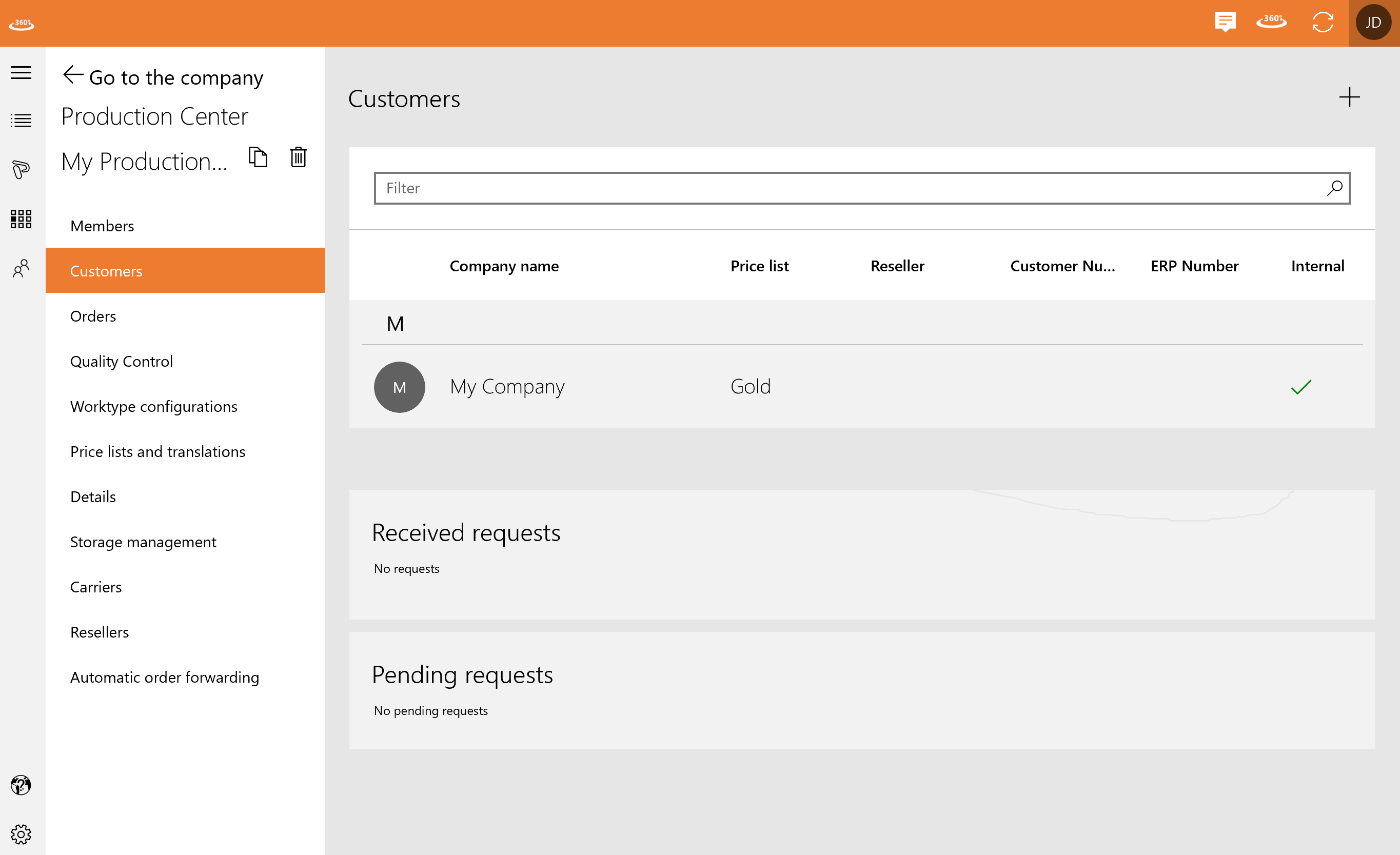
In “Customers” you can see your received and pending requests as well as all your customer contacts. You can filter the list by name or price list.
You can add a customer by clicking the plus.
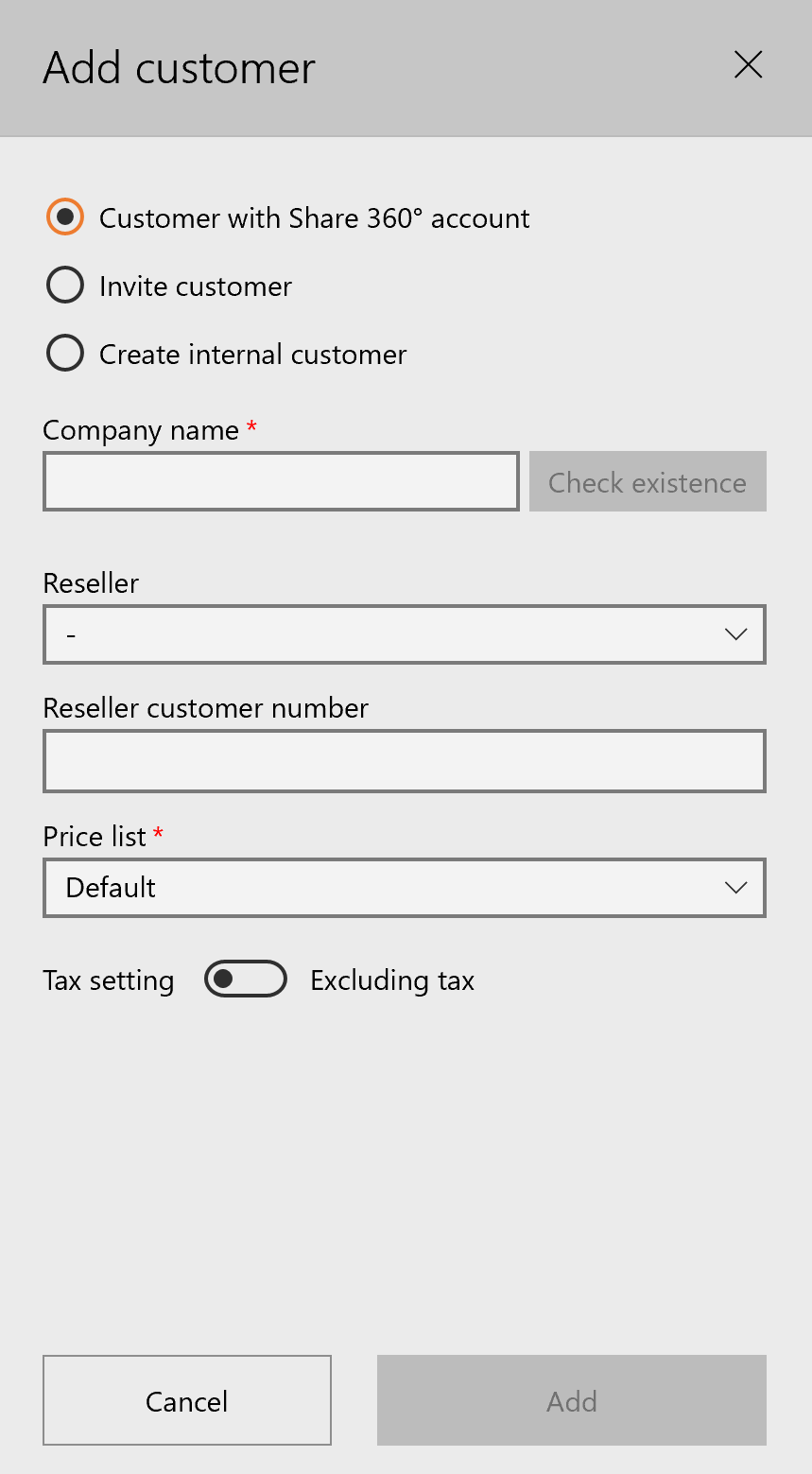
After filling everything in, you can click on “Add” and the customer appears in the list.