
Test_Image
ZangesaLearn
  • Home
  • FAQ
  • Contact
  • Imprint

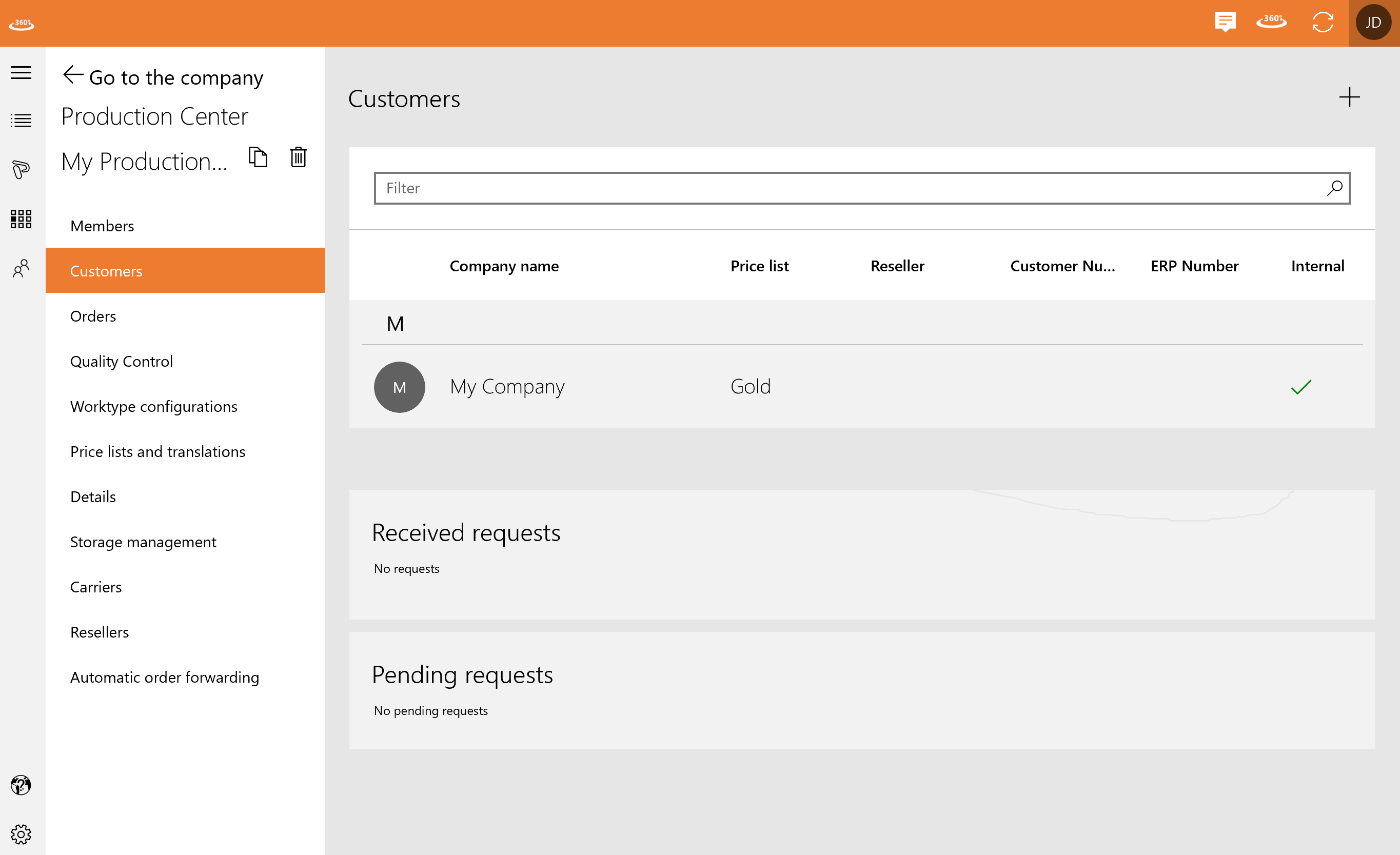
In “Customers” you can see your received and pending requests as well as all your customer contacts. You can filter the list by name or price list.

You can add a customer by clicking the plus.
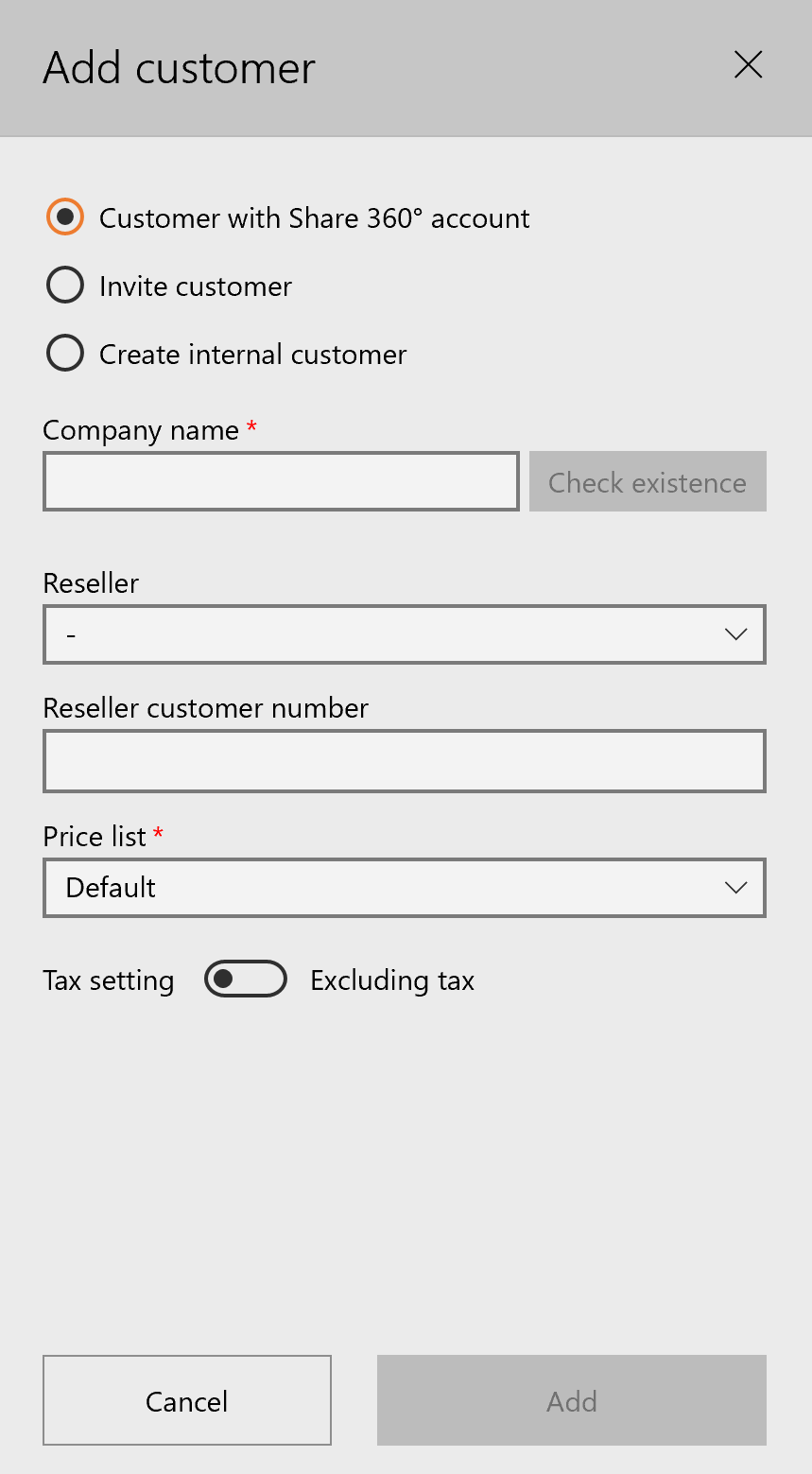
After filling everything in, you can click on “Add” and the customer appears in the list.

Navigation

  • ZAnGeSa Learn
    • ZAnGeSa Connect
      • Connect Operate
      • Connect Factory – Production Center
        • Factory Welcome
        • Connect Factory
        • Production Center
          • Quality control
          • Price lists and translations
          • Storage management
          • Resellers
          • Members
          • Orders
          • Worktype configuration
          • Automatic order forwarding
          • Details
          • Carriers
          • Chat Notes – Message Customers
          • Internal Order Notes
          • Customers
        • Processing Orders
        • Forward to different production center
        • Watcher
        • Chat Notes – Message the Customer
        • Order on behalf of customer
      • Connect Share
      • Connect Online
      • Release notes
      • Hardware requirements
    • Contact
    • Imprint
    • First Steps
    • Installation & Registration
    • Company
    • Projects
    • Orders
    • Integration
    • Configuration
    • Contact Support
    • FAQ
Zangesa Logo

Explore

Abou​t us

Legal

Terms and Conditions

Contact us

Contact us

Find us on facebook and youtube

Contact Details

office@zangesa.com

+43 226 223 440 15

ZAnGesa GmbH

Donaustraße 2/7

2100 Korneuburg

Austria

VAT: ATU71552679