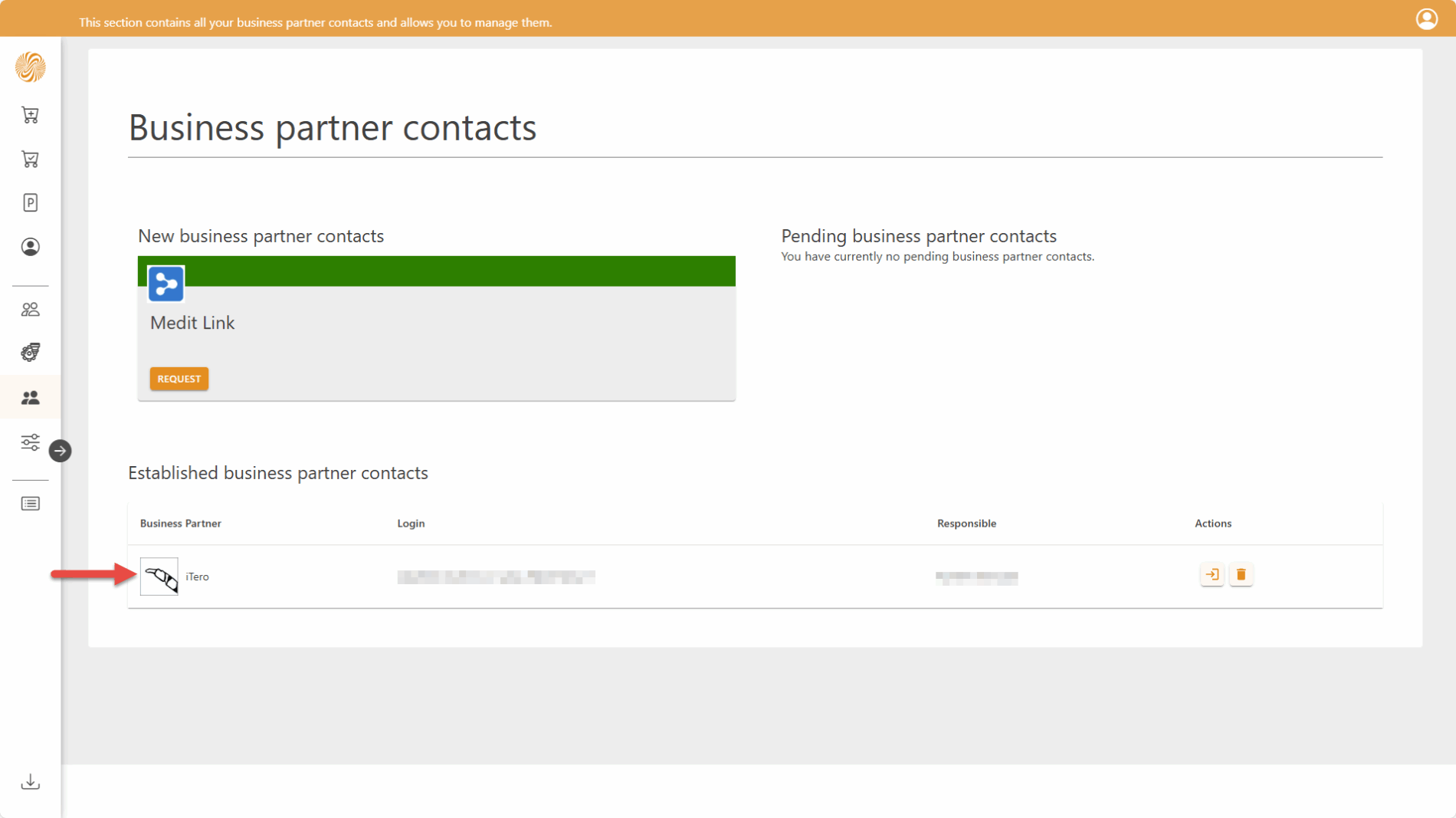
Connect your ZAnGeSa environment with the iTero ecosystem and receive cases directly from the iTero intraoral scanner into your ZAnGeSa Connect software.
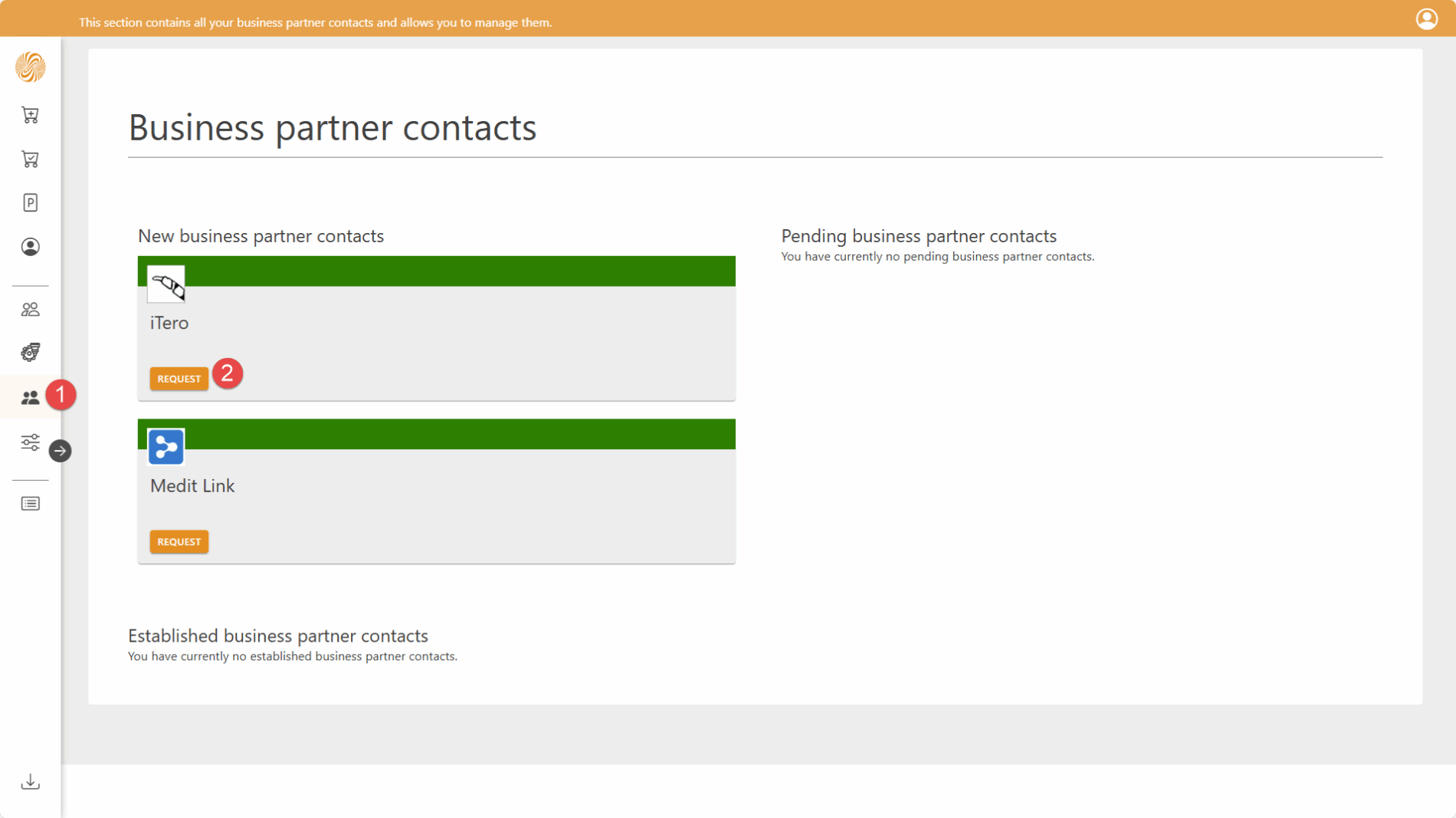
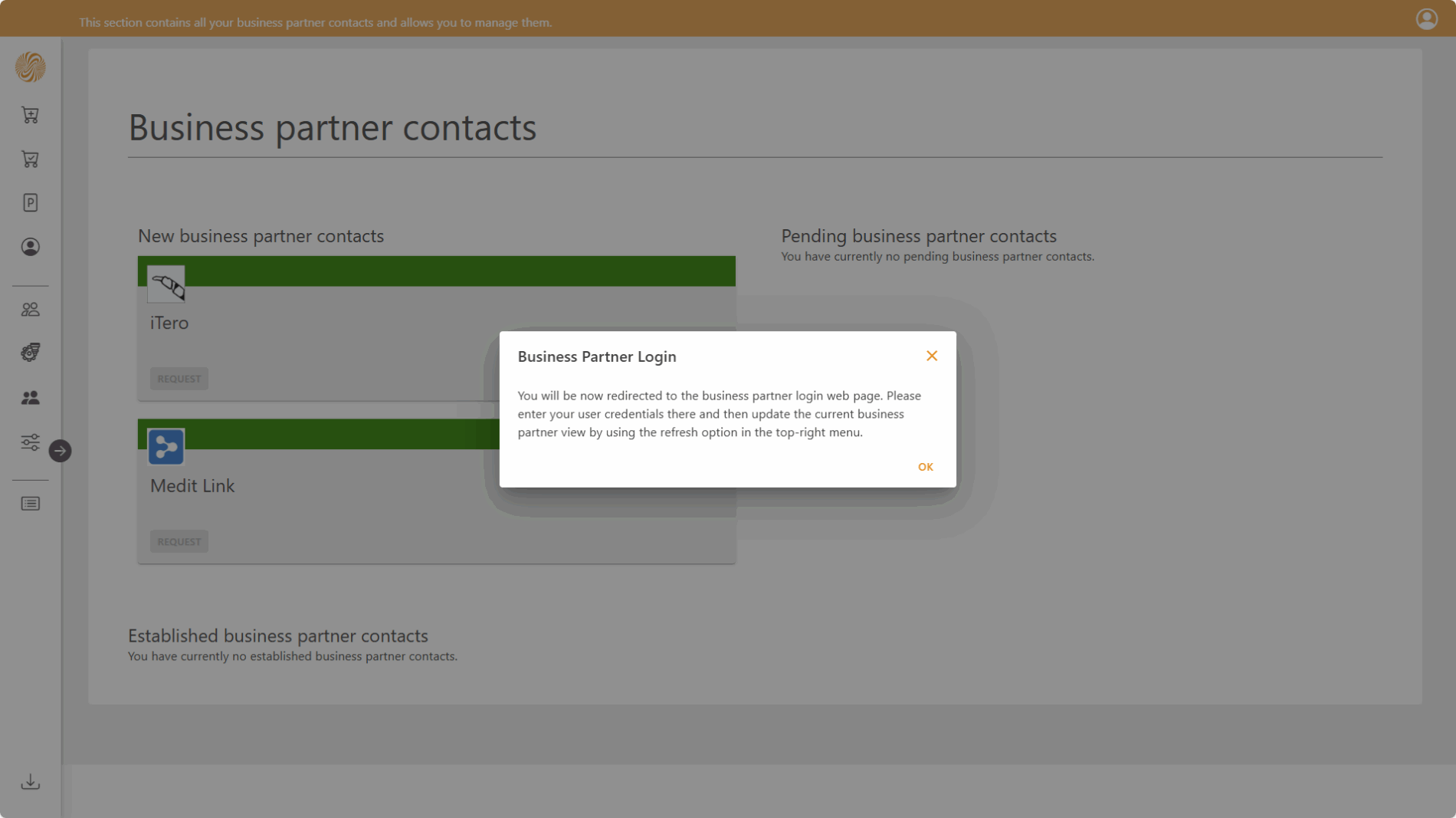
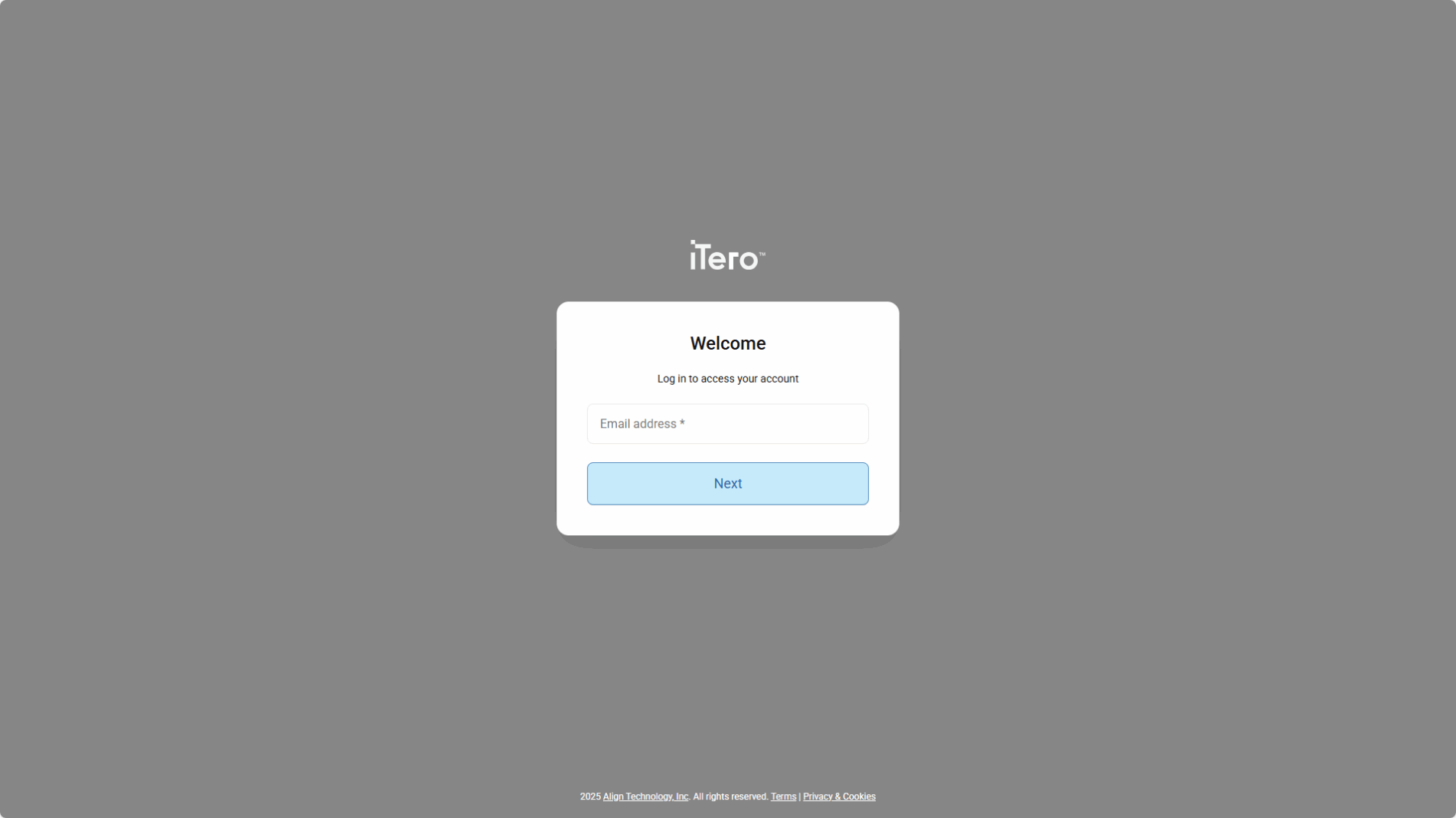
To apply for the iTero Business contact, select the corresponding option in Connect Online (via the Request button). You will be redirected to the iTero login page, where you need to enter your iTero account credentials. Once the login on the iTero side is successfully completed, the Business Partner connection will be established.
The result of the connection setup will be displayed on the landing page that follows the iTero login. Please refresh Connect Online to view the updated connection status—otherwise, it will be automatically refreshed within the next 15 minutes.
Once this is set up, newly scanned cases from your iTero scanner will automatically appear in your Connect Operate/Factory as shared cases. You can download these cases and take full advantage of the ZAnGeSa Suite’s capabilities—enhanced by the high-quality results delivered by the iTero scanner.